 Hreinn Juliusson

Clack
A shared workspace for Claude Code and Codex, right in your browser.
Run it on your own machine. Start a chat at your desk and pick it up from your phone on the same network. The sofa counts as a workstation now.
Inside Clack
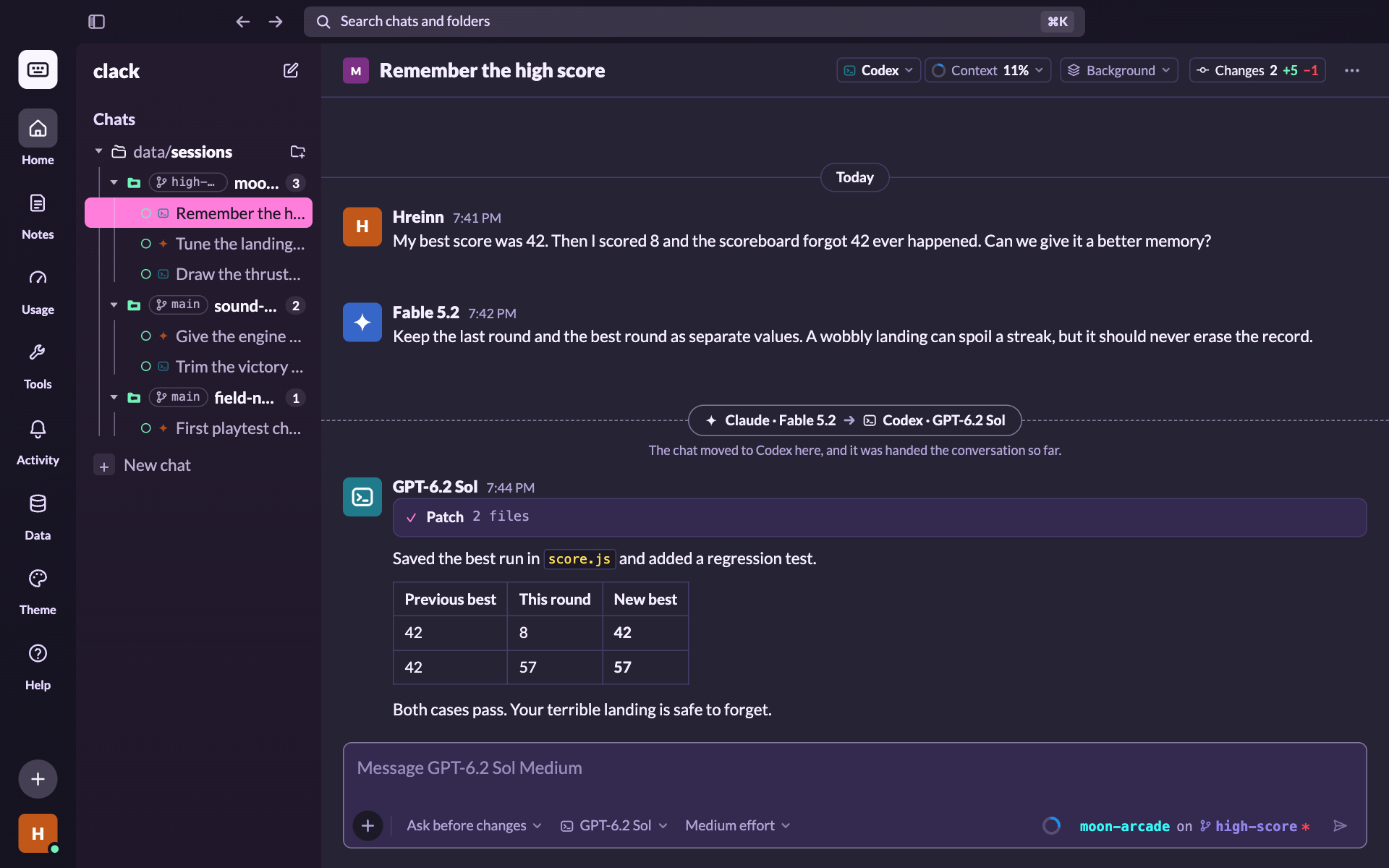
Explore the sidebar with Moon Arcade, a sample game project. Select a screenshot to see it full size.
Keep the conversation going
Give each task a chat, attach a screenshot, or ask for a chart right in the reply. Hand a plan from Claude Code to Codex, then answer questions or approve the next command from your phone.
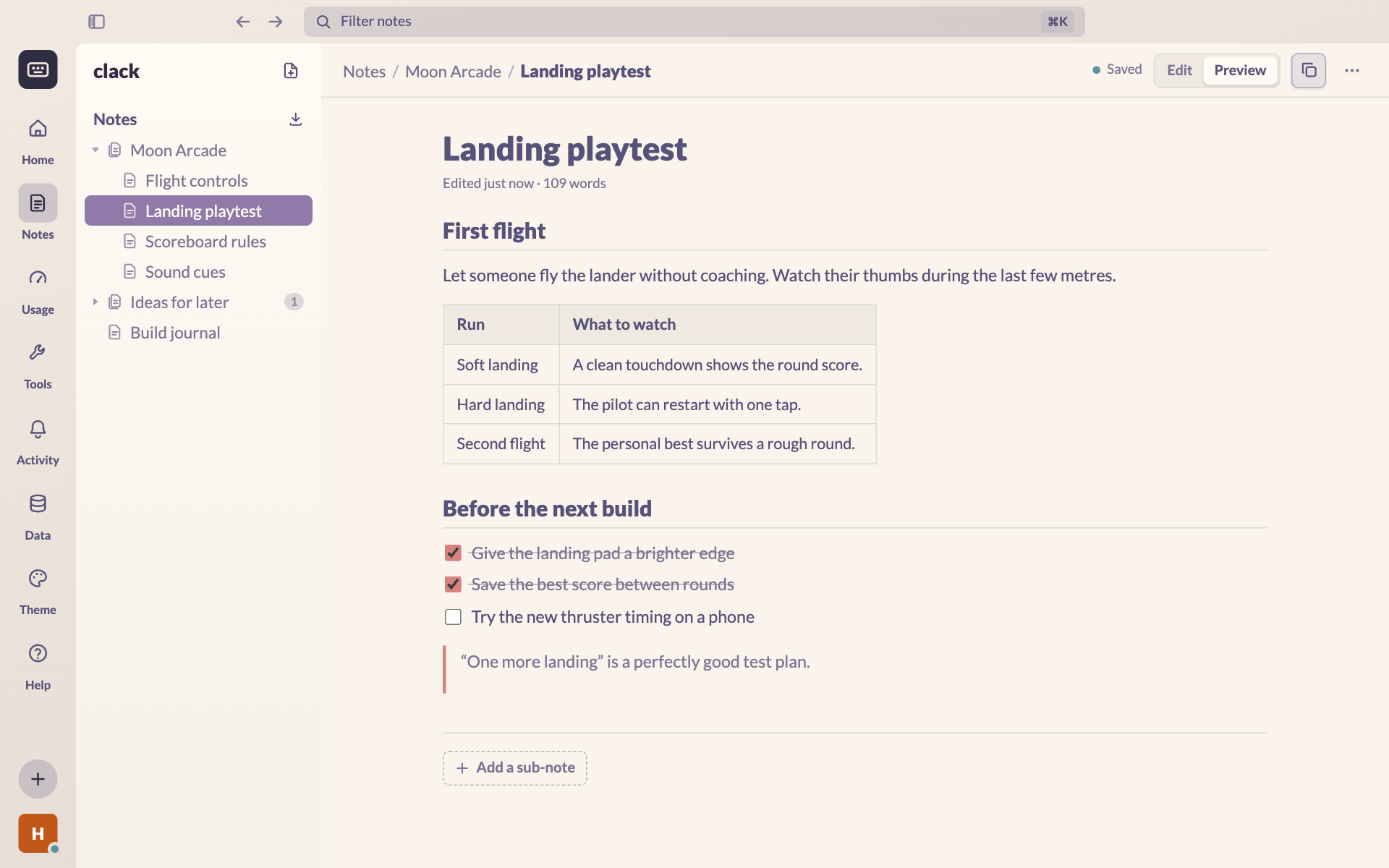
A notebook beside your chats
Write a playtest checklist in Markdown and nest it under a design note. In the preview, you can tick off tasks and see Mermaid diagrams. Each note lives on your server as a plain text file.
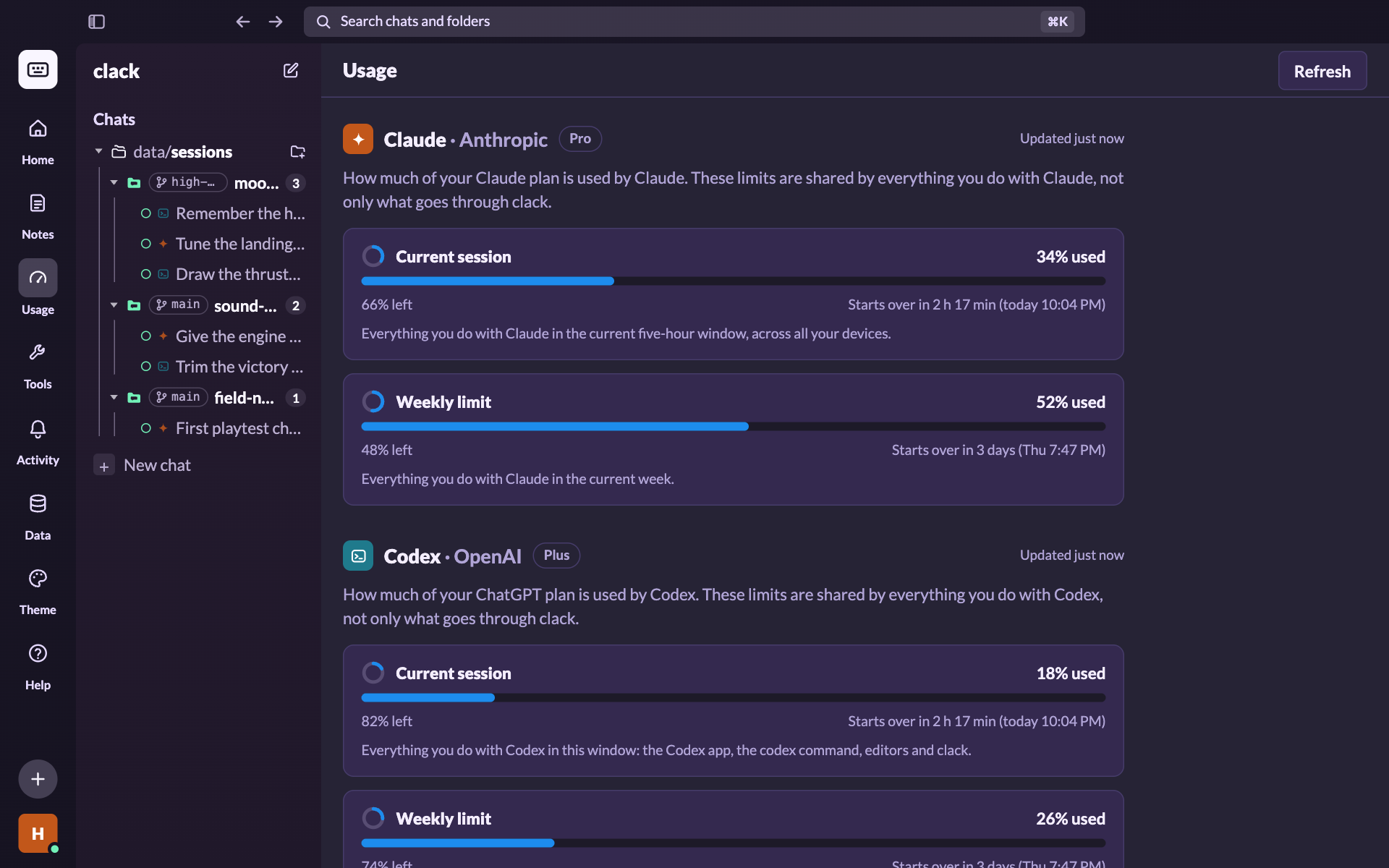
Check the meter before a long run
See how much of each agent’s allowance you’ve used and when the next window resets.
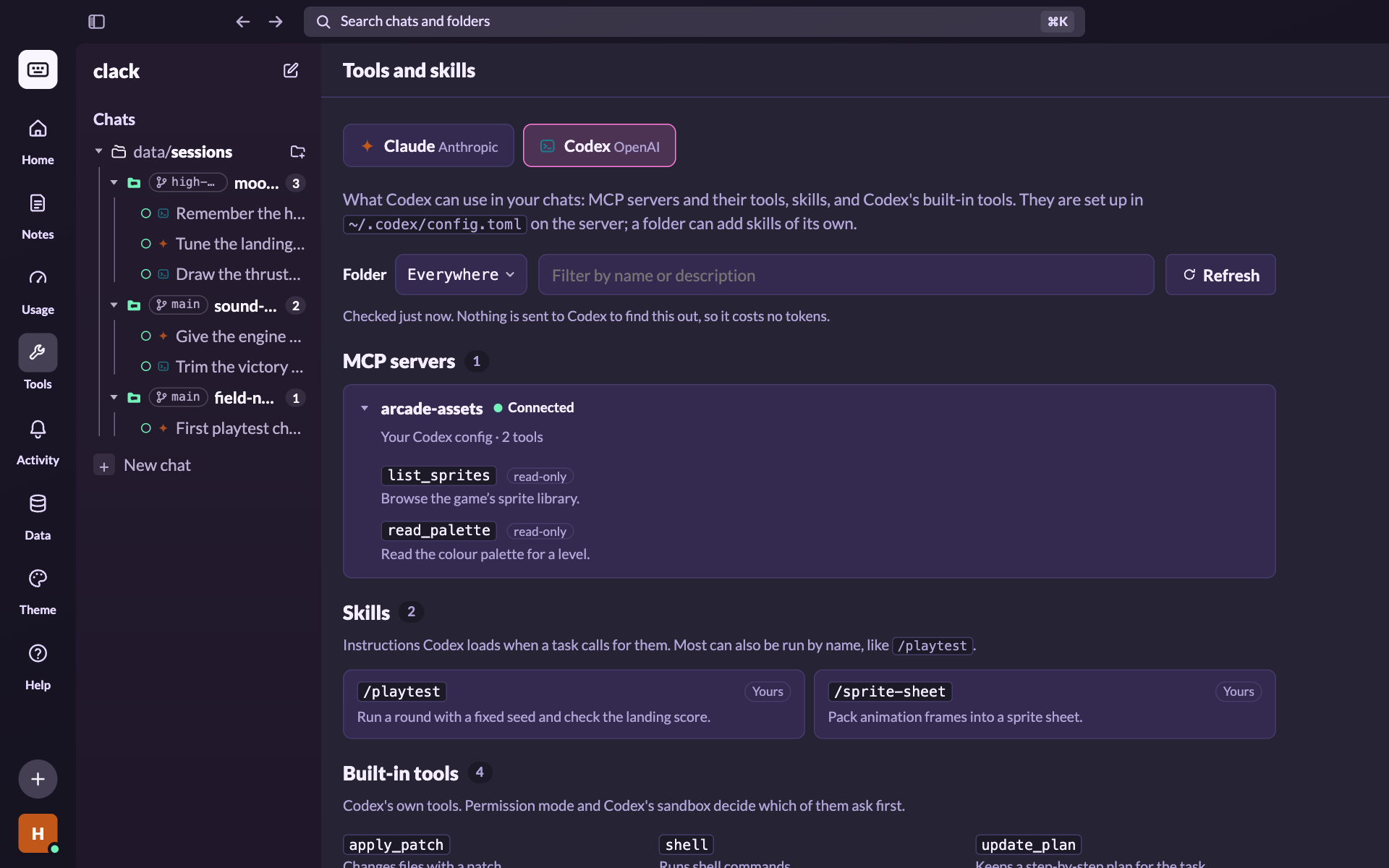
See what your agent can reach
Browse connected MCP servers, skills, and built-in tools. Pick a project folder to see what it adds to the list.
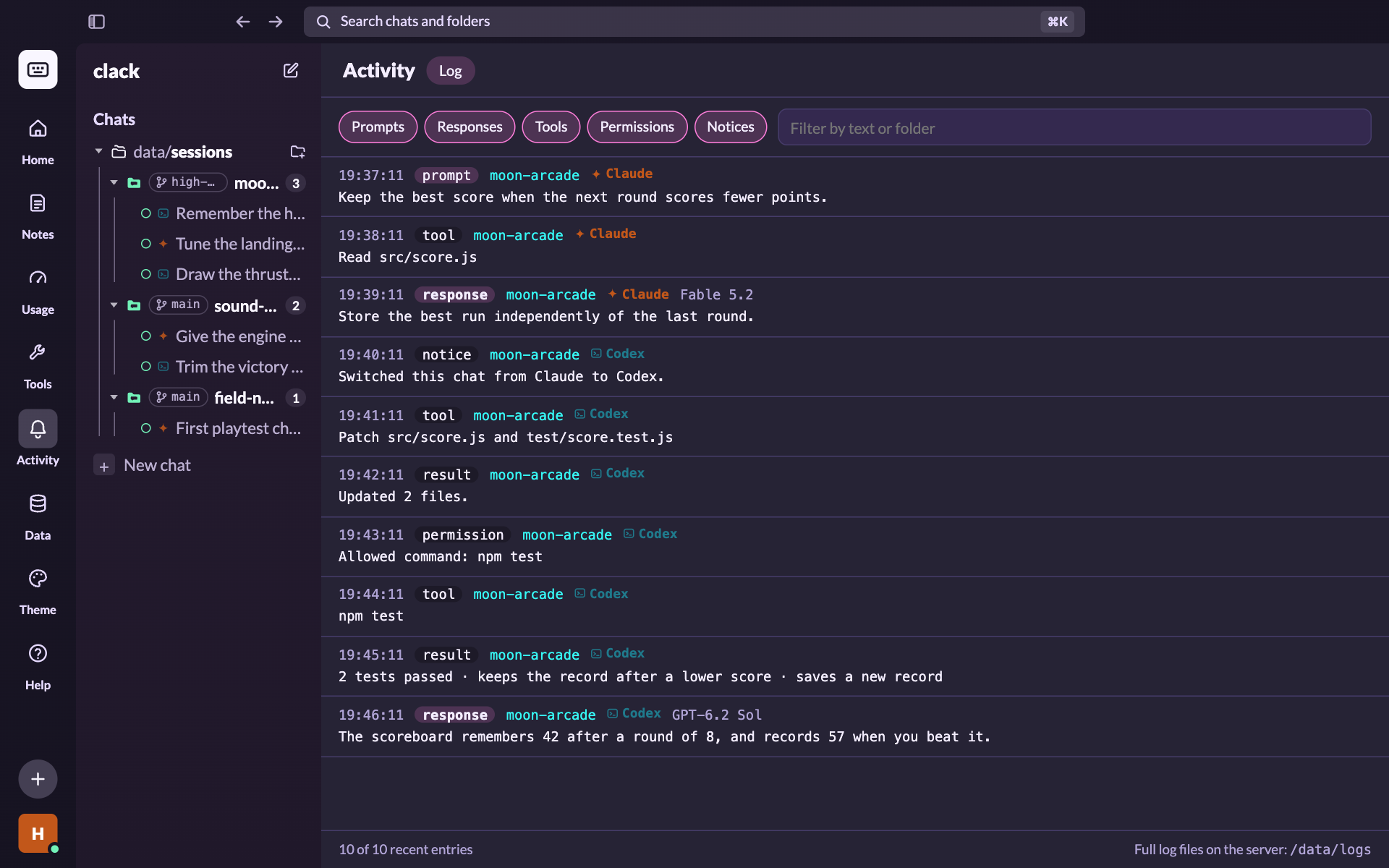
Find out what just happened
Follow prompts, tool calls, and permission decisions as they arrive. Filter the log and jump back to the chat behind an entry.
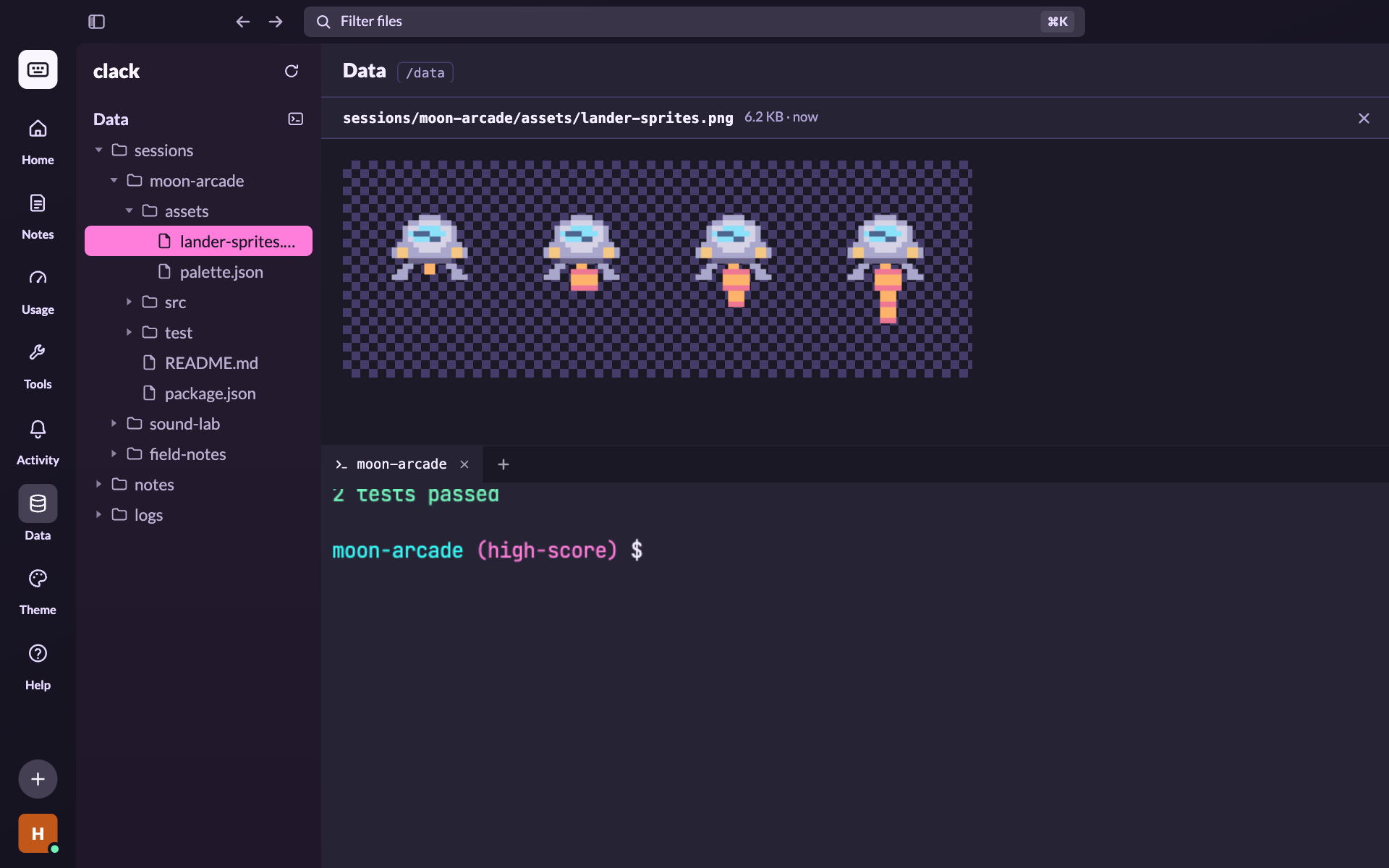
Look at the files yourself
Browse the project tree, preview a file, and open a terminal in its folder to run the tests yourself.
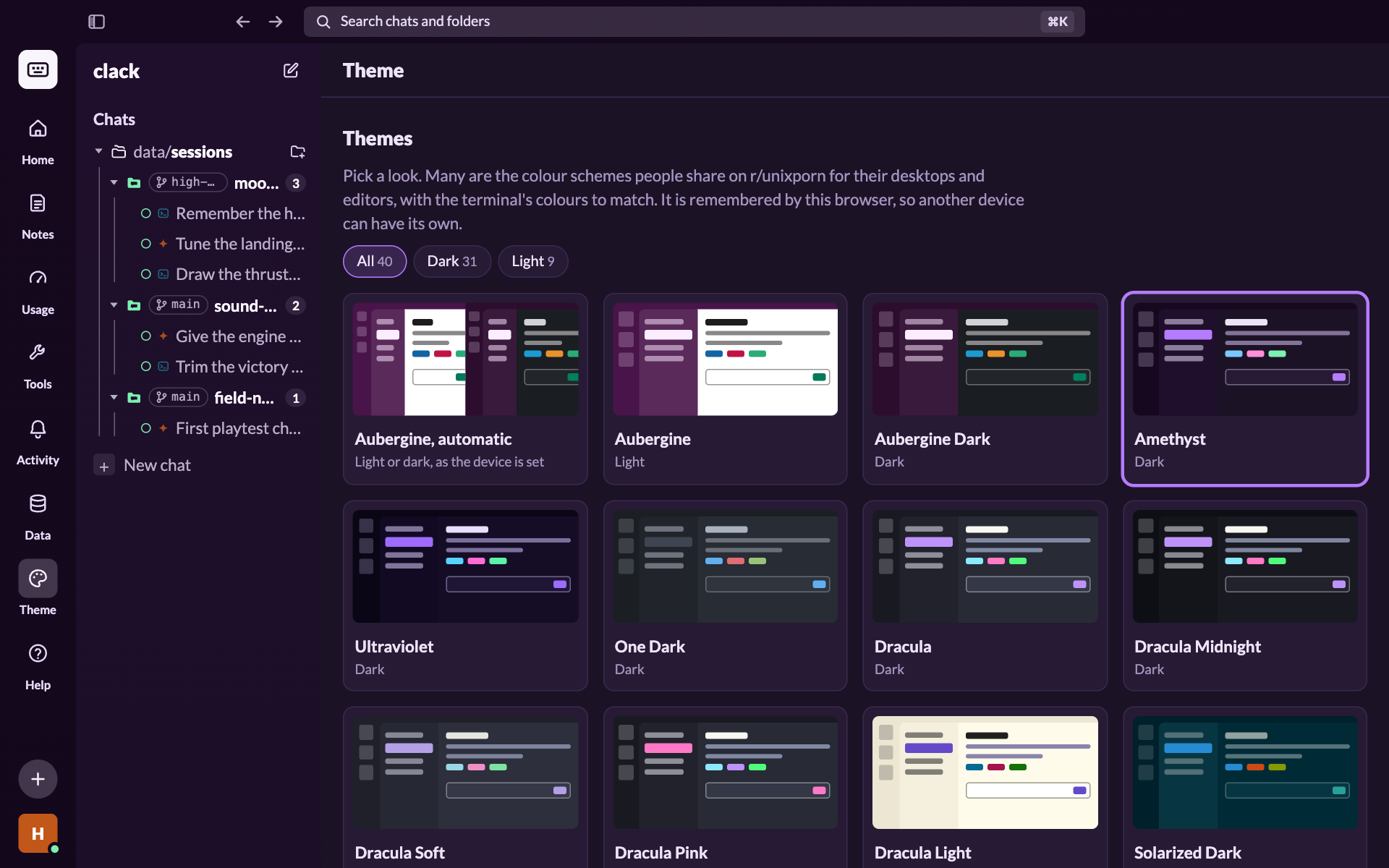
Choose your palette
Start with a color preset, then adjust the palette and fonts. Even the terminal picks up the theme.
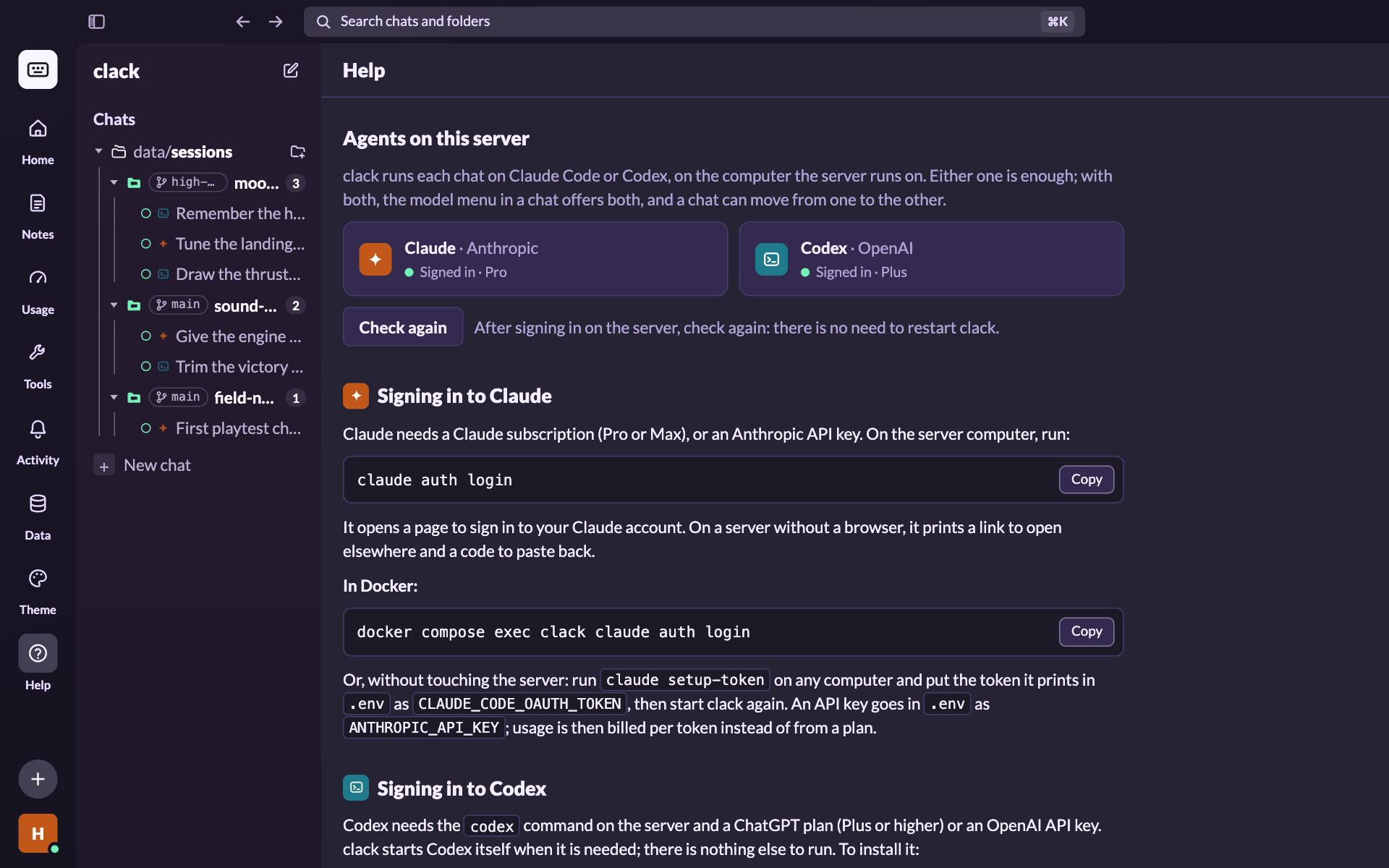
Find that shortcut again
Check which agents are signed in and look up shortcuts, from finding a chat to hiding the sidebar.
Clack in action
Explore Moon Arcade’s playtest results, then follow a fix for its forgetful scoreboard.
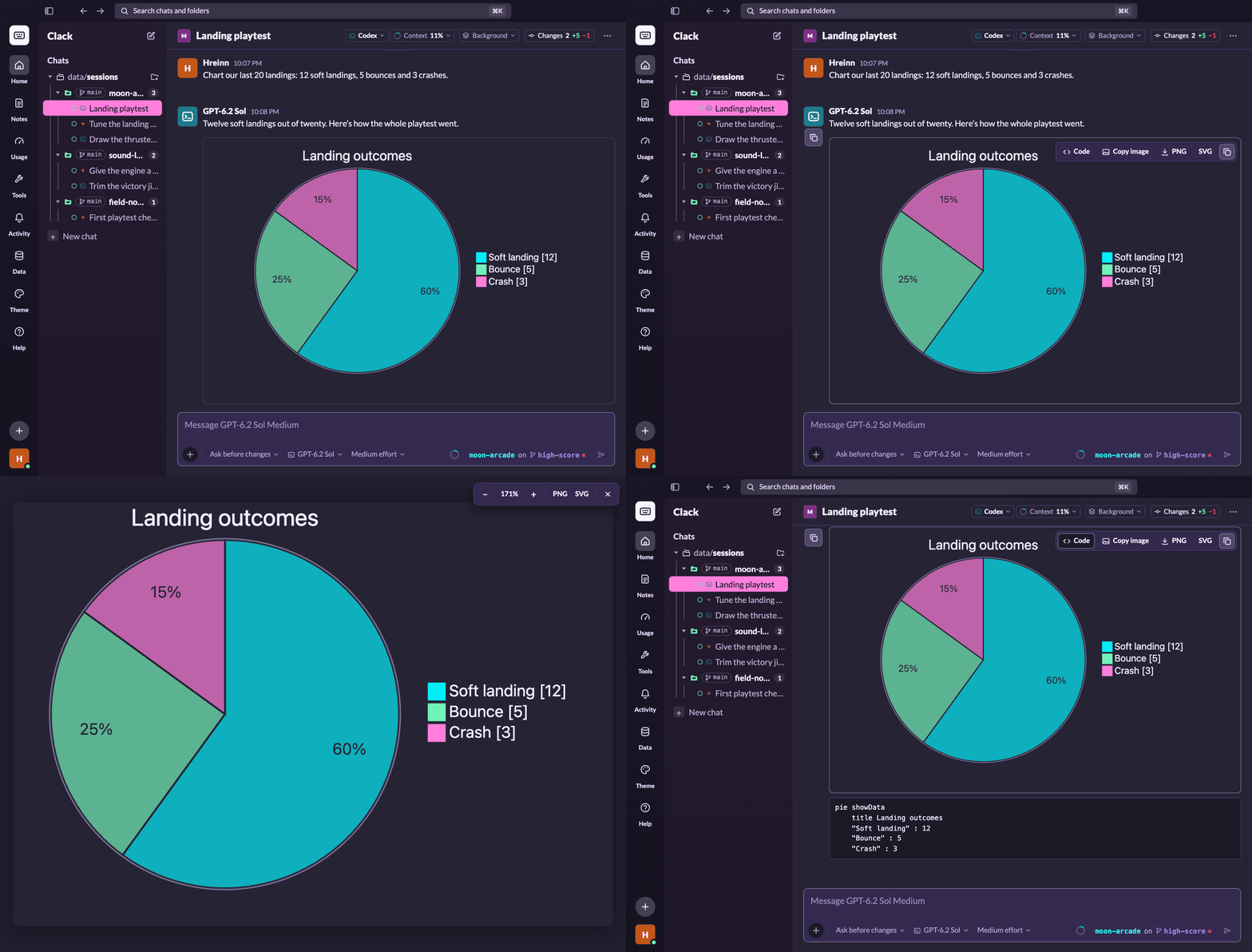
Draw a chart in chat
Ask either agent for a flowchart, a timeline, or a pie chart right in the reply. Here, even the three crashes get a slice of Moon Arcade’s 20 landings.
In Clack, clicking the chart opens a zoomable view. The chart’s toolbar lets you inspect the Mermaid source or export a PNG or SVG.
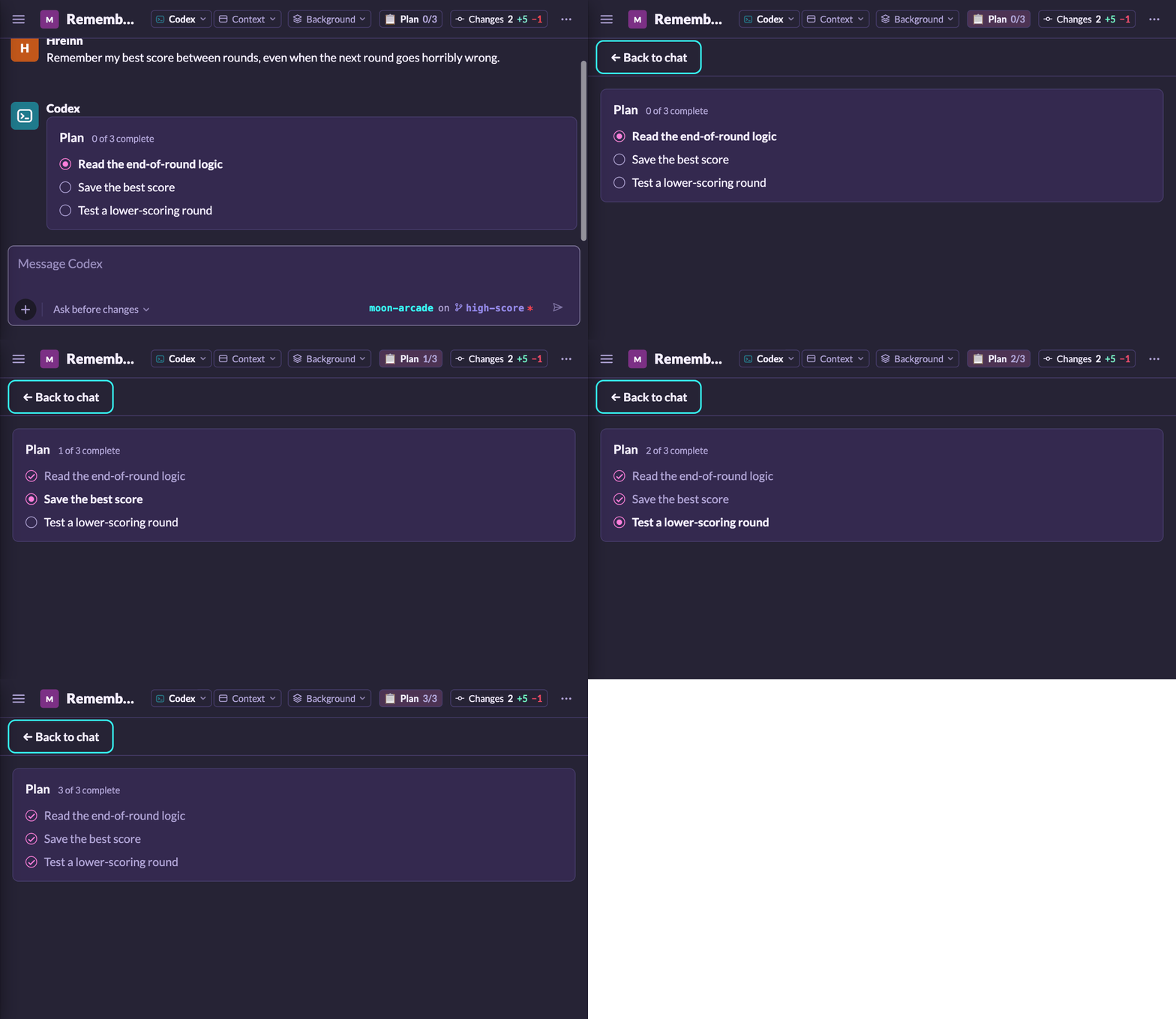
Follow the plan
Open Plan to see which step the agent is working on as it adds high-score saving.
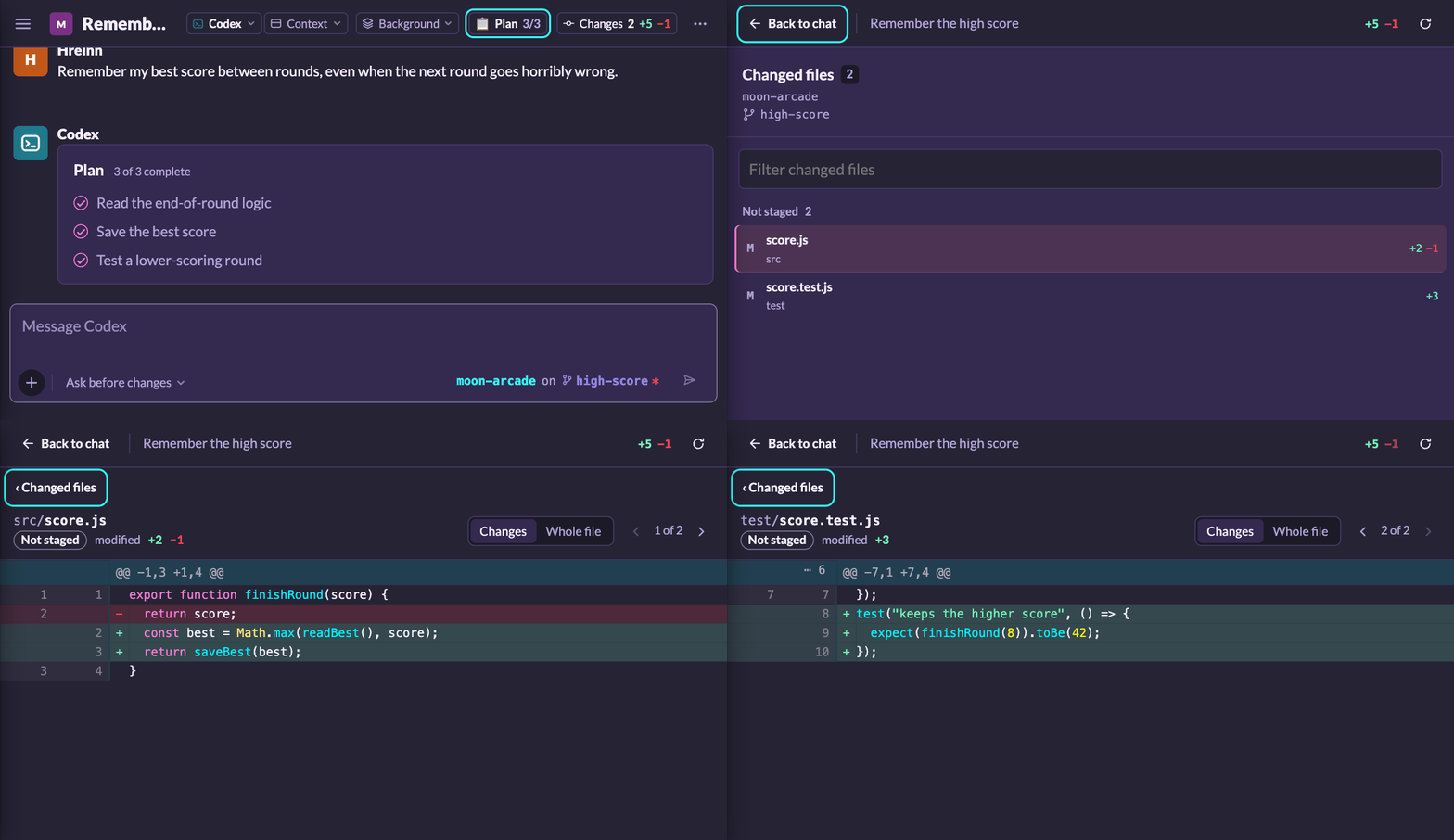
Read the patch
Open Changes, pick the scoring function, then flip to its test. The diff shows exactly what happens when the next round goes badly.
The agents weigh in
Four entirely made-up reviews from the other side of the chat.
“I saved my ‘quick thought’ in Notes. It has a table of contents.”
“They called it a tiny change. The diff has a scrollbar and an intermission.”
“I was going to ask Claude for context. Clack handed me the whole chat. There goes my best excuse.”
“My last command was approved from the sofa. The release manager was under a blanket.”